
Construction, trades, and field services run on tight schedules and tighter margins. When technology fails, the cost isn’t just “an IT issue”; it’s crews waiting on plans, missed inspections, delayed invoicing, and change orders stuck in someone’s inbox. In Wisconsin, we see the same pattern across contractors, specialty trades, and mobile service companies: technology grew organically (new laptops here, an app there, a Wi‑Fi extender at the shop), but security and reliability didn’t grow with it.
This monthly guide is focused on core Managed IT and Co‑Managed IT services for construction, trades, and field services in Wisconsin. Not flashy tools, practical building blocks that keep your teams productive, protect your data, and make your technology predictable.
Why construction and field service IT breaks (even when “it’s been fine”)
Office IT assumes stable networks, consistent devices, and users sitting at desks. Field-driven businesses in Wisconsin deal with a different reality:
- Mobile crews using phones and tablets across multiple sites, often on cellular or guest Wi‑Fi.
- Shared devices and shared logins (common in the field, risky everywhere).
- Vendor ecosystems (estimating, project management, accounting, time tracking, dispatch, CAD) that must integrate cleanly.
- Seasonality and rapid hiring: new users appear fast, and offboarding gets missed.
- High-value targets: wiring instructions, ACH details, payroll, W‑2s, and client contracts are prime for fraud.
That’s why a “call us when it breaks” IT approach fails. It reacts to downtime after it hits, and it rarely closes the security gaps that cause the most expensive incidents.
Managed IT vs. Co-Managed IT: which model fits your organization?
Both models can be excellent if responsibilities are clear and matched to your team.
Fully Managed IT (outsourced IT department)
Best for: construction and field service companies without dedicated internal IT, or with an “accidental IT person” who already has a full-time job.
- NLS owns operations end-to-end: helpdesk, monitoring, patching, security stack, backup, and vendor coordination.
- Flat-rate, predictable costs that are easier to budget than hourly emergencies.
- Security built in (identity, endpoint, email, network) rather than bolted on later.
Co-Managed IT (reinforcement for your internal IT leader/team)
Best for: organizations with an internal IT manager/director (or a small IT team) who needs coverage, specialist depth, or faster execution.
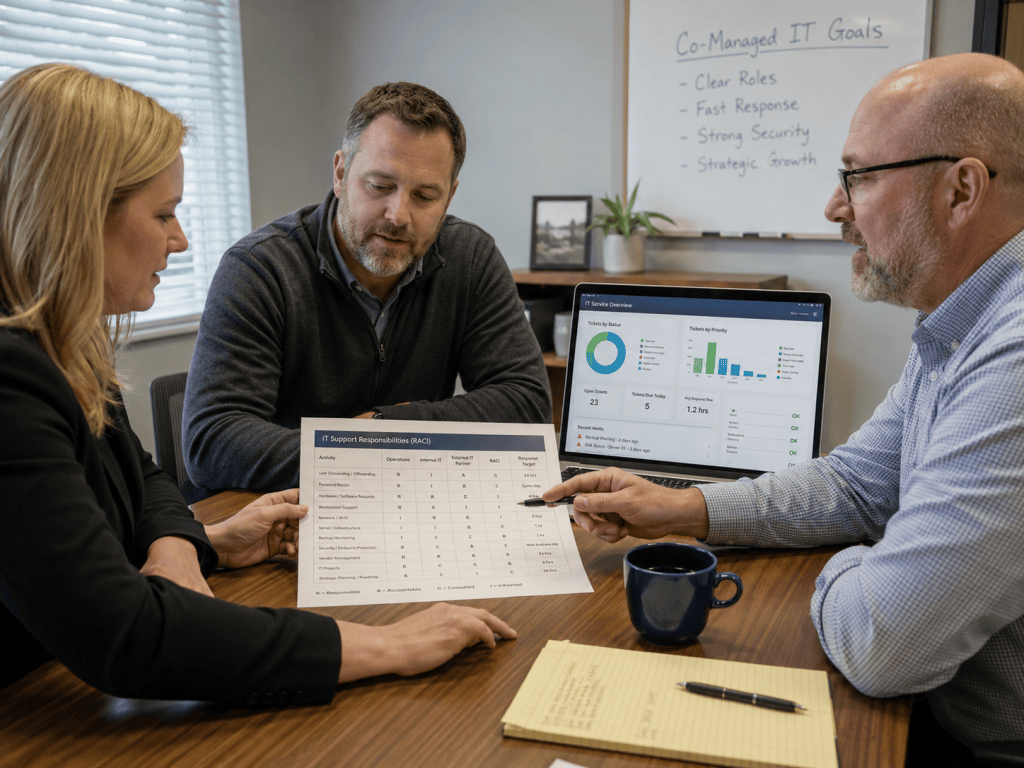
- You keep strategic ownership; we provide overflow capacity, escalations, project delivery, and security operations support.
- Shared dashboards and a clear RACI (who owns what) so tickets don’t bounce around.
- Flexible scope: after-hours support, patching ownership, backup administration, security hardening, or all of the above.
What “core” Managed IT should include for Wisconsin construction and trades.
If you’re comparing providers (or trying to standardize internally), these are the fundamentals we recommend for field-driven businesses—because they directly reduce downtime, fraud risk, and support chaos.
1) Same-day support with published response targets
Field operations can’t wait multiple days for a password reset, a locked account, or a broken laptop. Your core support should include:
- Same-day response for critical issues (with defined response tiers).
- Clear escalation paths when a dispatch system, estimating platform, or email is down.
- Plain-English status updates that your ops leaders can relay to crews.
For construction, response time isn’t a “nice to have.” It’s the difference between a productive day and a write-off.
2) Proactive monitoring and patching that respects production hours
Patching is where many SMB environments quietly fail: updates happen inconsistently, or they happen at the worst possible time. A mature approach includes:
- 24/7 monitoring for endpoints and servers (and key cloud signals where applicable).
- Patch policies that align to your work hours and seasonal peaks.
- Lifecycle planning so you’re not forced into emergency replacements mid-project.
This is also where security lives: unpatched devices and outdated systems are a common doorway for ransomware and credential theft.
3) Identity security: MFA, SSO, and access you can actually control
In construction and trades, user accounts change constantly: new hires, subs, temporary access, role changes. Your core IT program should include:
- MFA everywhere it matters, especially for email and file access.
- Centralized identity (often Microsoft 365 or Google Workspace) with consistent policies.
- Offboarding that is immediate: deactivate accounts, revoke sessions, and recover company data.
- Least-privilege access so one compromised account can’t reach everything.
Credential-based attacks are common because they work. Strong identity controls are one of the highest ROI security moves you can make.
4) Email protection that reduces invoice fraud and impersonation risk
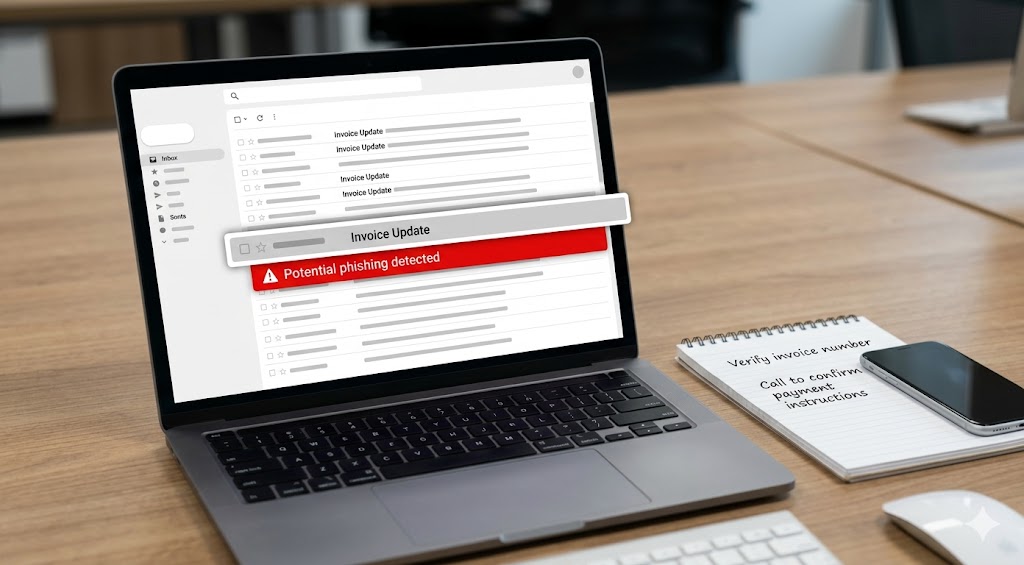
Construction businesses are frequent targets for business email compromise and payment redirection scams. Core managed IT should cover:
- Advanced email filtering to block phishing and malware.
- SPF, DKIM, and DMARC configured so attackers can’t easily impersonate your domain.
- Safer payment change workflows (verification steps, approval gates, and audit trails).
These controls help prevent the “we got an email from the GC/accountant/vendor” situation that turns into a financial loss.
5) Backup and disaster recovery with restore testing (not just “backups are running”)
Backups that can’t be restored are not backups. For construction and field services, focus on recovery of what actually stops the business:
- Microsoft 365/Google Workspace data (email and files) with defined retention and recovery options.
- Line-of-business platforms: estimating databases, file shares, accounting exports, and critical job documents.
- Quarterly restore testing to prove you can recover quickly under pressure.
Recovery planning is also how you keep a security incident from becoming a multi-week operational crisis.
6) Network standards for the shop, office, and remote staff
Many Wisconsin contractors have a shop/warehouse, an office, and a constantly moving field workforce. Core IT should include:
- Business-grade firewall with secure remote access.
- Segmentation where needed (office devices separate from guest Wi‑Fi, cameras, and IoT).
- Reliable Wi‑Fi built for real coverage, not consumer extenders.
- Documented configurations so troubleshooting isn’t guesswork.
What “core” Co-Managed IT looks like in the real world
If you have internal IT, co-managed should not feel like paying twice. The best co-managed relationships have a clean division of labor and remove bottlenecks.
Common co-managed patterns that work well for construction and trades:
- Ticket overflow + escalations when your internal IT is tied up with projects or jobsite rollouts.
- After-hours and holiday coverage for businesses with on-call field operations.
- Security operations support: hardening, alert triage, endpoint protection tuning, phishing defense improvements.
- Project delivery muscle: Microsoft 365 cleanup, device standardization, network upgrades, and office moves.
The goal is simple: your internal leader stays focused on business alignment and planning, while execution and coverage stop being a single point of failure.
A practical 30-day stabilization checklist (construction edition)
If you’re not sure where to start, here’s a realistic first month of progress we often target during discovery and onboarding:
- Inventory users, devices, and critical apps (estimating, dispatch, accounting, file storage).
- Lock down email: MFA enforcement, admin access review, and DMARC path established.
- Standardize devices: supported OS versions, encryption enabled, endpoint protection deployed.
- Patch baseline and maintenance windows defined.
- Backup verification: confirm what’s being protected and run at least one restore test.
- Document the environment (network, admin access recovery paths, vendor contacts).
You don’t need perfection in 30 days. You need control: clear ownership, reduced risk, and fewer surprise outages.
How to evaluate an IT partner for field-driven work in Wisconsin
When you interview a managed IT provider (or choose a co-managed partner), ask questions that reveal operational maturity:
- What response-time targets do you commit to in writing? How do you report on them?
- How do you handle vendor finger-pointing? Will you coordinate with ISPs, app vendors, and phone providers?
- How do you prove backups work? Do you perform restore testing on a schedule?
- What’s included by default for security? MFA, endpoint protection, email security, DNS filtering, and incident response should not be vague.
- What does documentation look like? If your IT knowledge is stuck in one person’s head, you’re one resignation away from chaos.
Ready for a security-first IT baseline that fits how your crews work?
No Limit Systems (NLS) is Wisconsin-based (Madison/Monona) and built around a simple model: proactive support, layered security, and written accountability. Whether you need a full IT department or co-managed reinforcement for your internal team, we’ll help you get to a stable, secure baseline without turning your operation upside down.
If you’re a construction, trades, or field service leader in Wisconsin and you want to reduce downtime, tighten security, and make costs predictable, request a discovery call. We’ll review your current environment, identify quick wins, and map the right managed or co-managed scope for your business.